Introducing the HAID Framework – Human + AI in Design.

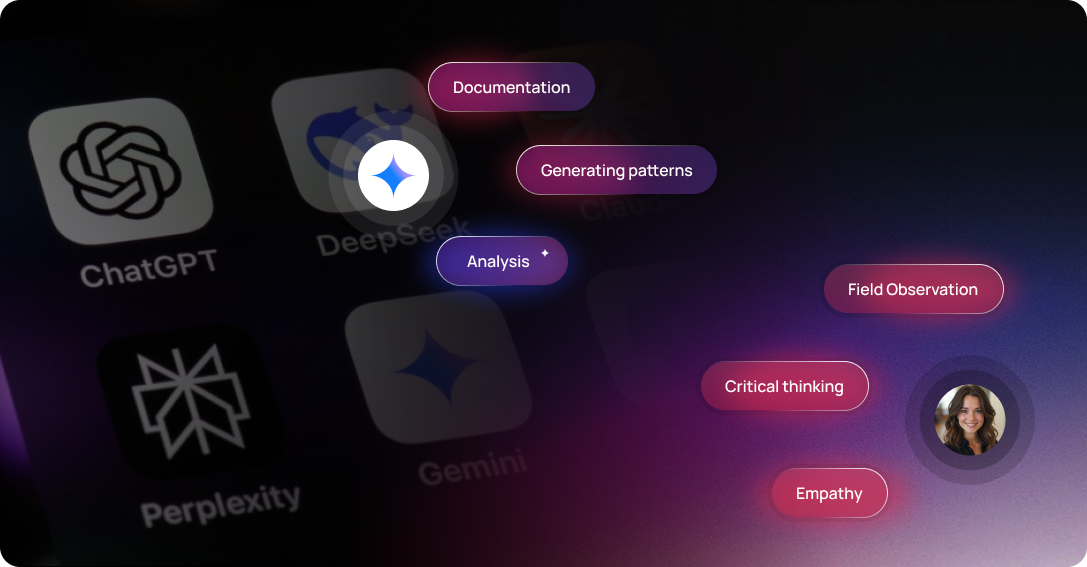
AI will not replace UX designers; it will distinguish designers from pretenders. Let’s take a peek at how humans and AI should divide the work and what fails when the boundary is crossed.
We are all anxious about AI replacing UX designers. It won’t. It will just expose those who were never really doing UX. Because the future is where the designers leverage AI rather than AI doing the magic on its own. Here's a practical framework for how the two should actually divide the work and what goes wrong when the boundary is crossed.
“Every UX team is using AI, but most are using it wrong. They either ignore it defensively or uncritically hand over the work that requires judgement.”
After eight years of enterprise UX across aviation, fintech, compliance, and smart city platforms, the designers at Aufait UX have explored working extensively with AI in design and developed a framework. A framework that defines exactly where AI earns its place in the UX design process and where a designer must be present, no matter how capable modern AI design tools become.
HAID Framework: Human + AI in Design
The framework is built on one principle: AI should eliminate everything that doesn’t require judgment from designers’ plates, so they can spend all their time on everything that does need their expertise. This is the base of human AI collaboration in modern design practice.
“The core principle: Use AI to eliminate everything that doesn't require judgement. So designers can spend all their time on everything that does.”
The five phases below define what that looks like in practice. In each, two questions are answered explicitly: what should AI do here, and what a UX designer must do.
#1. Discover Phase: Human-Led, AI-Assisted
Fieldwork, trust-building, unexpected findings. AI handles what was recorded; designers notice the details and what’s missing.
AI DOES
- Transcribes and tags interview recordings using AI design tools
- Preliminary pattern-spotting across sessions
- Competitive landscape synthesis
- Generates screeners and discussion guide drafts
HUMAN DOES
- Contextual observation and field research
- Builds trust with resistant or constrained users
- Uncovers the unexpected findings not available in the data
- Makes real-time ethical calls with vulnerable users
What goes wrong if inverted:
The finding that changes a project rarely comes from tagged data. It comes from a researcher noticing something nobody thought to code for. This requires presence and not just processing through AI tools for designers.
#2. Define Phase: Human-Led, AI-Challenged
Designer writes the problem statement. AI interrogates it. Designer decides which challenges are valid and owns the definition.
AI DOES
- Generates alternative problem framings using AI design generator systems
- Identifies logical gaps in the problem statement
- Stress-tests assumptions against evidence
- Produces first-draft personas from data
HUMAN DOES
- Synthesises conflicting findings into a defensible statement
- Reads organisational context never written in the brief
- Decides which AI challenges are valid
- Owns the problem definition with the client
What Goes Wrong if Inverted:
AI-generated problem statements are coherent. They miss the political dynamic, the failed system history, the insight that came from what nobody said out loud in the session.
#3. Design Phase: Collaborative - AI Generates, Human Judges
AI produces volume. Designer applies the judgement filter - selecting, combining, rejecting, and knowing why. The best-looking option is not always the right one.
AI DOES
- Generates structural options and UI variants
- Produces microcopy drafts
- Flags accessibility issues
- Creates design system documentation
HUMAN DOES
- Decides which design direction to pursue and why
- Protects unconventional decisions from research insights
- Recognises when technically valid means contextually wrong and viceversa
- Defends decisions under stakeholder pressure
What Goes Wrong If Inverted:
AI optimises for visual coherence and conventional patterns. It will not inherit, protect or assess a finding's weight that came from a specific field interaction. AI focuses on the task at hand - to generate the best-looking options but not the right ones.
#4. Validate Phase: Human-Led, AI-Analysed
AI creates structured analysis. The designer read it against what was observed in the room, including what didn't make it into the transcript.
AI DOES
- Transcribes and analyses usability sessions
- Identifies patterns across multiple sessions
- Severity-scores findings against defined criteria
- Generates first-draft findings reports using AI tools for designers
HUMAN DOES
- Recruits appropriately and builds rapport
- Adapts protocol mid-session when unexpected things surface
- Reads AI analysis against what was observed live
- Adds the interpretation layer that the data alone cannot produce
What goes wrong if inverted:
AI findings are accurate but incomplete during testing. The results that validate the product may come from noticing something no one would tag in a transcript. A pause, a look away, an off-script comment from the user could unlock the real problem.
#5. Deliver Phase: AI-Accelerated, Human-Owned
AI handles documentation. Designer owns the conversation - with developers, stakeholders, and the client through and beyond handoff.
AI DOES
- Generates handoff documentation and annotations
- Produces developer-ready asset specifications
- Maintains design system and changelog docs
- Creates accessibility compliance checklists using AI design tools
HUMAN DOES
- Presents findings to specific stakeholder audiences
- Defends design decisions when development constraints arrive
- Decides what to protect versus what to compromise
- Stays in the room through development, not just handoff
What goes wrong if inverted:
Design quality is lost in the conversations after the handoff. When a developer asks, "Can we simplify this?" and someone needs to say “NO and here's why" - AI cannot have that conversation. Only a designer who was present throughout the whole process can.
Cases from Projects I’ve Worked On
DISCOVER PHASE · PAN-INDIA COMMUNITY PLATFORM FOR LOWER TIER CITIES
Ethnographic research was carried out with the rural audience in Tier 3-4 Indian cities. It revealed a finding that defied some key urban assumptions in the brief. Digital consumption was largely influenced by shared devices, social group dynamics, and erratic electricity. No AI tools could surface a finding like this, but a researcher on the ground did.
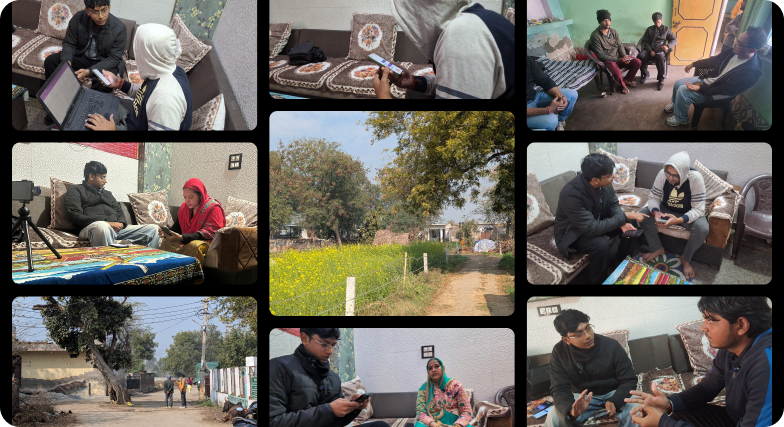
Caption: Images of ethnographic research with rural communities across Tier 3–4 cities, capturing real contexts of shared device usage, social dynamics, and everyday constraints that informed key platform insights.
DESIGN PHASE · BICXO EXECUTIVE DASHBOARD
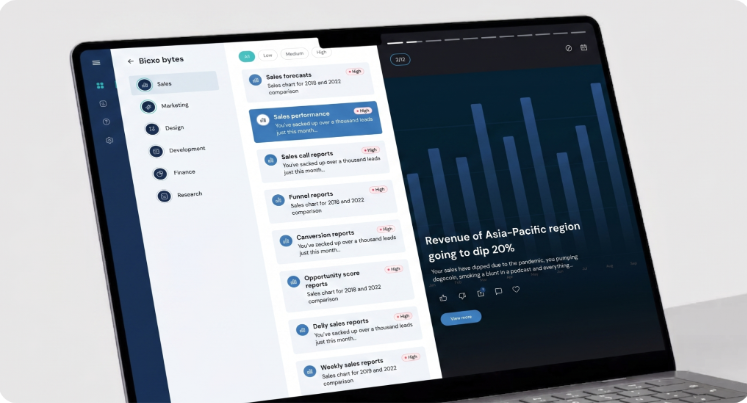
We had three structural pivots during the design phase of the Bicxo dashboard, each triggered by a finding that contradicted the conventional design patterns. An AI would have generated a sensible executive dashboard, but the research demanded something structurally different. Defending the same to stakeholders required a compelling designer who understood “why”.

VALIDATE PHASE · ID FRESH FIELD SALES
The finding that drove the most significant redesign - the ID fresh agents were mentally
switching between the app and a physical checklist. The existing digital step sequencing
didn't match their real-life workflow. This insight came through our researchers' shadowing the agents in their operational environment and not from any transcript analysis.

Caption: Picture of our team conducting in-field research with sales agents, closely mapping their day-to-day workflows across warehouses and delivery routes.

DELIVER PHASE · ROCA COMPLIANCE SYSTEM
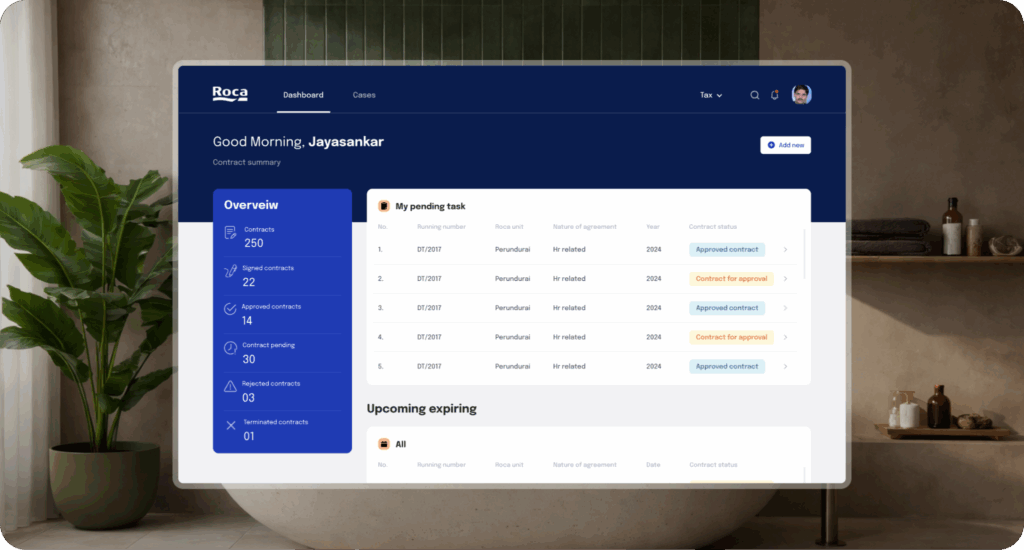
Comprehensive handoff documentation fell short during the development phase. Developers suggested simplifying the case management hierarchy, a change that initially seemed harmless. However, this simplification would have reintroduced a major issue the designers had already resolved. A designer in the room pointed out that the change would send the team in circles, rather than truly simplifying the hierarchy.
What This Means for UX Teams in the Age of Human + AI Collaboration
1. Hire for field presence and synthesis, not tool fluency
The designer who can conduct ethnographic research, build rapport with a skeptical user, and notice the off-script moment that changes the project is more valuable than the one primarily skilled at producing polished deliverables. In a human AI collaboration model, field sensitivity and synthesis matter more than tool proficiency.
2. Invest in synthesis, not just research methods
AI can match patterns, especially through advanced AI design tools and analytics systems. But it cannot weigh conflicting findings or make a defensible design decision grounded in context.
This is where the AI in design process still depends heavily on human judgment. Training your team to capture the “why,” not just the “what,” is the most important capability investment for any design leader working within a Human AI Design Framework.2.29
3. Keep humans present through delivery, not just handoff
The most neglected phase in the AI in design process is delivery. While AI tools for designers can produce highly detailed handoff documentation, design quality is ultimately lost in the conversations that happen after handoff.
AI can accelerate execution, but it cannot replace accountability. This phase of human AI collaboration requires a designer who has been present from discovery to delivery. The continuity of judgment is what ensures integrity in the final product.
Designing the Future of UX with Human + AI Collaboration
HAID Framework can serve as a foundation for how AI can complement UX designers’ skills.
At Aufait UX, a UI/UX design company in India, we do not defend UX from AI but are transforming the design process in parallel with AI advances. It’s an evolving process where AI and designers both do what they’re actually good at.
We see it as a catalyst that reshapes how AI tools for designers are used across discovery, definition, design, validation, and delivery. When used correctly, human AI collaboration doesn’t dilute design thinking; it strengthens it.
Stay tuned as we continue to explore methods and tools that support our designers for AI-driven future. But as for AI replacing us entirely, that’s still a long way off.
Let’s Rethink What UX Can Be
If you’re building or scaling a product, now is the time to rethink how AI in UX design can actually improve outcomes.
We help teams integrate AI tools for designers into real product workflows while keeping human judgment at the center of every decision in the AI design process.
No jargon. No guesswork. Just practical clarity on how human AI collaboration can elevate your product experience.
👉 Connect with us to explore how AI can actually work inside your design process
🔔Follow Aufait UX on LinkedIn for strategic insights grounded in real-world product outcomes.
Disclaimer: All the images belong to their respective owners.
Frequently Asked Questions
Based on Shneiderman’s HCAI principles, we believe AI shouldn't take the wheel while the designer sleeps. Instead, we use AI to handle high-volume tasks (automation) while keeping the designer as the ultimate pilot (control). Specifically, in our Roca Compliance project, AI manages the documentation, but the designer controls the hierarchy logic.
No, AI will not replace UX designers; it will distinguish practitioners from pretenders. It eliminates tasks that don't require judgment, allowing professional designers to spend more time on high-level synthesis, ethics, and strategic decision-making.
No. While AI can identify logical gaps and stress-test assumptions, it lacks the organizational context and political nuances of a project. A human designer must synthesize conflicting findings and own the final problem definition with the client.
AI optimizes for visual coherence and conventional patterns. It cannot protect unconventional decisions derived from specific research insights. A human designer is required to judge which direction is contextually right, even if it contradicts standard AI-generated layouts.
Yes. As we move toward Agentic Design, where AI executes tasks rather than just generating images, the HAID Framework acts as the Manager’s Playbook. The designer shifts from being a "pixel-pusher" to a "curator," setting the intent and auditing the AI agent’s output for brand and ethical alignment.
We use Microsoft’s Guidelines for Human-AI Interaction to ensure transparency. AI is used for transcription and severity scoring of usability issues, but the human designer is responsible for reading the room. AI catches the words, but the designer catches the hesitation and the body language.
In enterprise UX (like our work in E-commerce, Healthcare and Fintech), security is paramount. The HAID Framework addresses this by advocating for the use of secure, closed-loop AI design systems rather than open-access public tools. To safeguard intellectual property and user privacy, all sensitive client data, proprietary research, and internal workflows are handled within enterprise-grade AI environments. This ensures that AI in UX design supports the process without compromising confidentiality, compliance, or trust.
Table of Contents
Design Beyond Guesswork, Where Humans and AI Co-Create
Enhance your design process with AI + human insight clarity
Talk to an Expert